 AdvGamer
By 2026, the dust had long settled on the launch of Death Stranding 2: On the Beach, yet a certain kind of player—the one who once trudged across the first game's rocky vistas with a stack of cargo and a fragile smile—still found new reasons to return. This sequel, refined through post-launch updates and embraced by a community that had learned to love the quiet between the storms, had already earned a reputation for being far more enjoyable than its predecessor. It threw players into the action sooner, trimmed the tedious edges, and packed in so many quality-of-life improvements that going back to the original felt like volunteering for a slow-motion nightmare. Even so, the difference between a good delivery and a great one often came down to a few hidden switches in the options menu. A veteran porter named Elias discovered this the hard way, after a miserable first night spent fighting the camera, the controls, and his own dwindling patience.
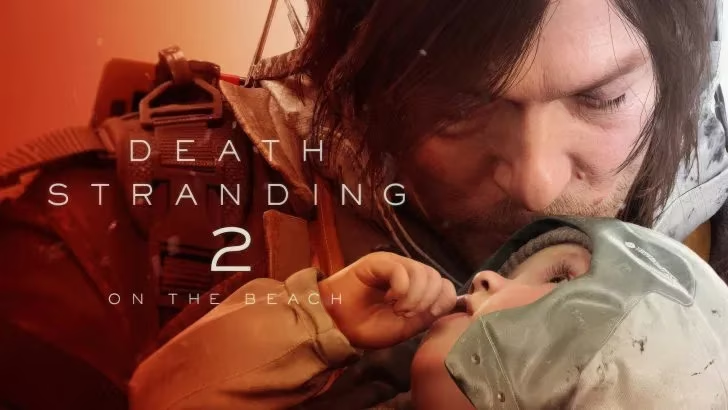
Elias had played the first Death Stranding for hundreds of hours, so he assumed he knew what to expect. He booted up On the Beach, selected the default settings, and set out on his first long haul. Within twenty minutes, he was wrestling with a camera that felt like it was moving through wet concrete. His thumb ached from holding down buttons that seemed to demand a full second of pressure. His aiming, usually reliable in other third-person games, wobbled whenever a MULE patrol appeared on the horizon. By the time he reached the first distribution center, he was ready to blame the game. Then he remembered something a fellow porter had told him: the sequel was better, but only if you told it how you wanted to play. So he opened the Ring menu, slipped into the Options screen, and began to tinker.
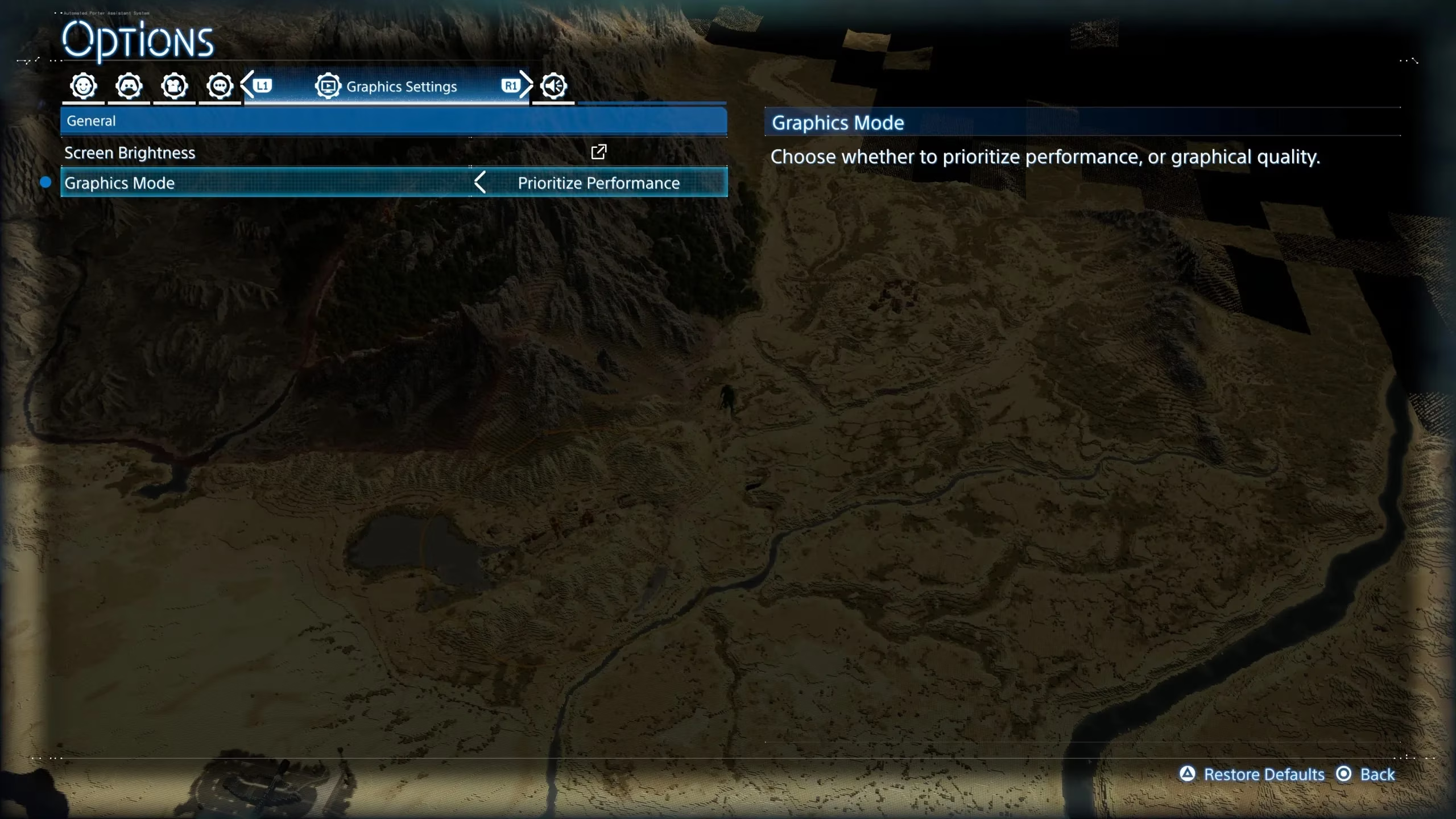
The first setting he changed was the most obvious one. In the Graphics tab, Death Stranding 2: On the Beach offers two modes: Prioritize Quality, which targets 4K resolution and 30 frames per second, and Prioritize Performance, which targets 1440p and 60 FPS. Elias had a decent television, and he liked the idea of sharper rocks and more detailed rain. But he also remembered how much smoother the sequel felt in every trailer, and how many of its systems—balancing cargo, scanning terrain, sneaking past BTs—rewarded quick reactions. He switched to Prioritize Performance. The difference was immediate. The world lost a little crispness, but the motion gained a fluidity that made every step, every turn, and every thrown grenade feel connected to his hands rather than filtered through a delay. Even players who cherish high-quality visuals, he realized, might prefer this mode, because the gap between the two is not massive, while 60 FPS transforms the entire experience.
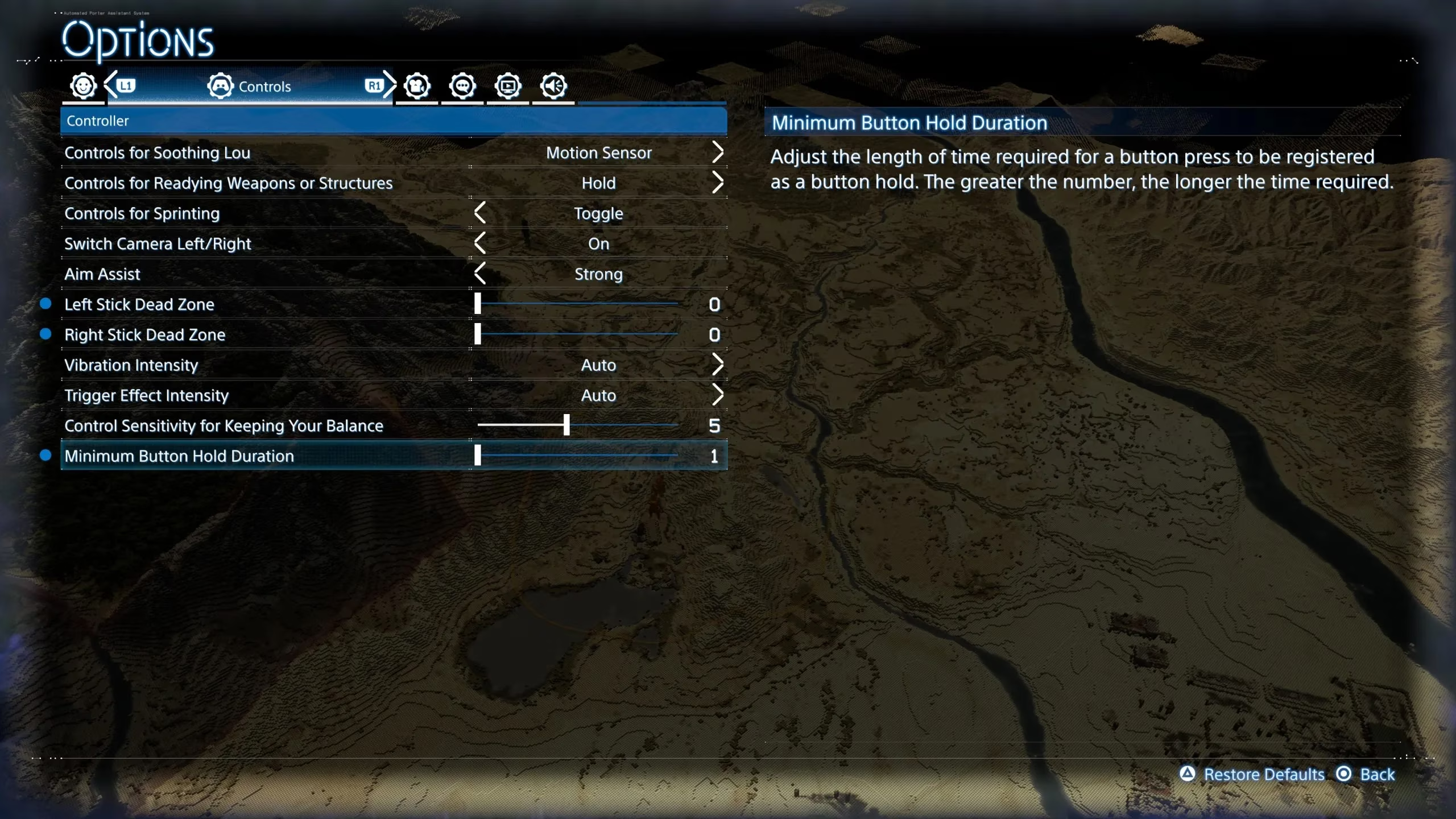
Next, Elias moved to the Controls tab. The Minimum Button Hold Duration sat there like a small confession from the developers: yes, this game asks you to hold buttons a lot. Reducing this value cut precious milliseconds from every action, making the whole experience feel snappier. He also dropped the Dead Zone settings for both sticks from the default value of 1 to zero. The change was subtle, but his thumbs noticed. Aiming felt less like pushing against a sponge and more like pointing a finger. Then he found the setting for Ready Weapons or Structures, which was set to hold by default. Since he used that feature constantly—swapping between a ladder, a climbing anchor, and a bola gun—he switched it to Toggle. His hands thanked him during a long session that stretched past midnight.
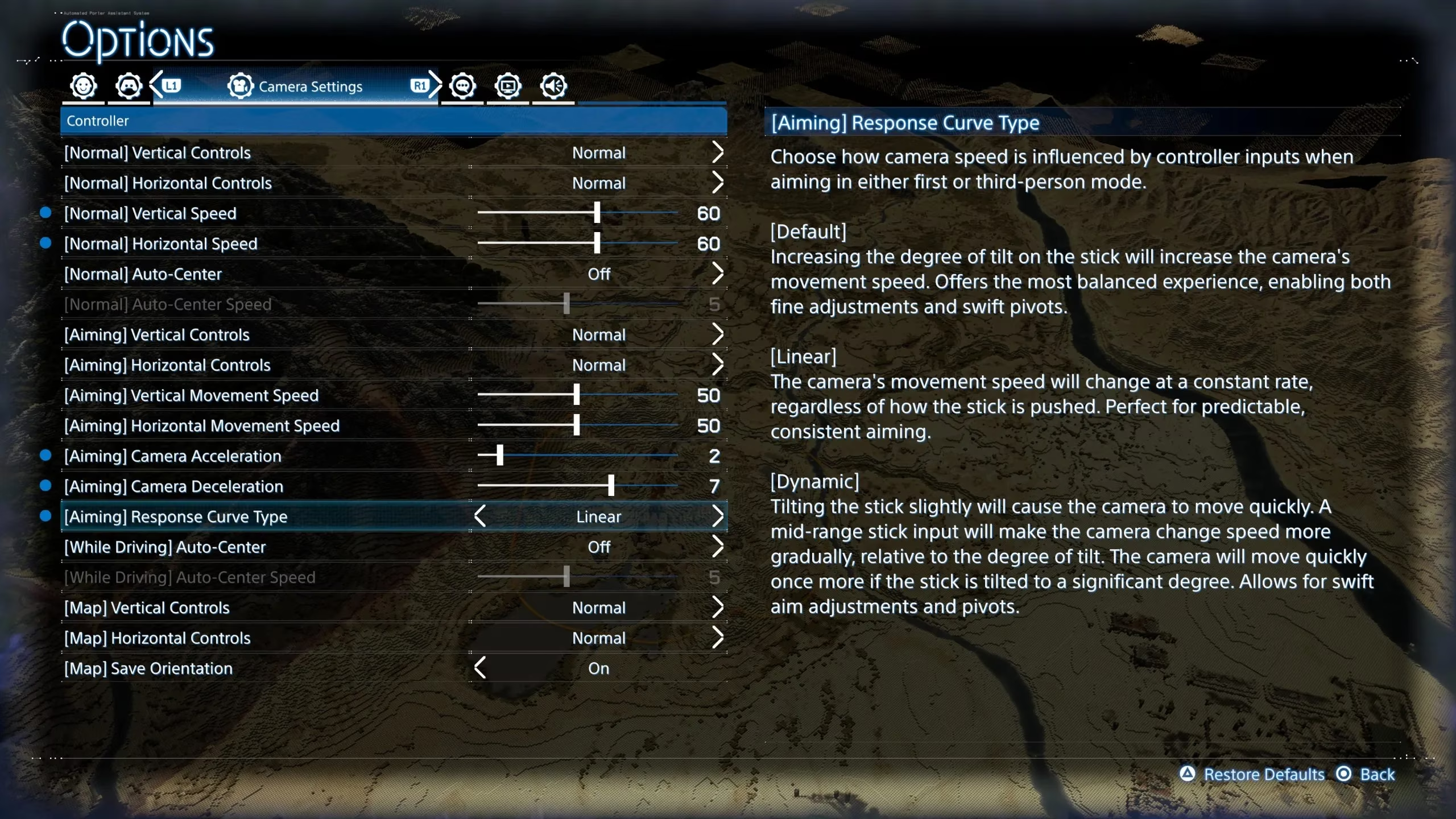
The final batch of changes lived in the Camera Settings tab. Normal Camera Vertical and Horizontal Speeds were set to 50, which felt sluggish in most scenarios, especially after switching to Performance mode. Elias nudged both up to 60, then tried 65. At 60 to 65, the camera moved faster without inducing the motion sickness that sudden, sweeping turns could cause. He suspected players without that sensitivity could push the speed even higher. More important was the Aiming Response Curve Type. The default setting increased camera movement speed based on how far the stick was tilted, which worked fine for casual exploration but felt unpredictable during intense combat. Switching to Linear kept the speed constant, removing a variable that could ruin a firefight. He also tweaked Aiming Camera Acceleration and Deceleration, lowering them just enough to make precision shots feel earned rather than lucky.
By the end of his second night, Elias had stopped fighting the game. He had made it his own. The settings below summarize the changes that mattered most to him, and to many other porters who returned in 2026.
| Setting | Default | Recommended | Why It Helps |
|---|---|---|---|
| Graphics Mode | Prioritize Quality | Prioritize Performance | 60 FPS makes movement and combat far smoother |
| Minimum Button Hold Duration | Standard | Reduced | Speeds up frequent hold actions |
| Dead Zone (both sticks) | 1 | 0 | Improves stick responsiveness |
| Ready Weapons or Structures | Hold | Toggle | Reduces hand fatigue in long sessions |
| Normal Camera Vertical/Horizontal Speeds | 50 | 60–65 | Faster camera without motion sickness |
| Aiming Response Curve Type | Default | Linear | Consistent aim speed during shootouts |
| Aiming Camera Acceleration/Deceleration | Default | Tweaked lower | Enhances precision aiming |
None of these changes are dramatic on their own. Together, they turn Death Stranding 2: On the Beach from a game that sometimes feels like work into a game that feels like a strange, beautiful journey. Elias learned that the sequel had already improved on the original in countless ways, but the final polish came from his own hands. In 2026, with the game still drawing new porters and old veterans alike, that lesson remains worth sharing: before you carry the world on your back, take a few minutes to tell the world how you want to carry it. 🎒⚙️🌧️
Information is adapted from Eurogamer, and it aligns with a familiar lesson from modern third-person releases: the “feel” of a game often comes down to a few control and camera defaults rather than the core design. In the context of Death Stranding 2: On the Beach, prioritizing 60 FPS, tightening dead zones, and switching to a linear aiming curve can make traversal and sudden MULE encounters read more clearly, while reducing button-hold duration and toggling ready actions cuts friction from the constant tool swapping that defines long delivery routes.